


🚨 WARNING: Existing servers cannot be attached to this panel. To use the panel you must provision a new CS2 server from scratch.
- Web hosting: Tested on PHP 8.4. It does not run on lower versions.
- CS2 server: The panel is designed for CS2 server management on Ubuntu 22.04 and above only. Windows is not supported.
- MySQL: A reachable, configured MySQL service is required for server and panel management.
- Get the latest package: Download the newest release from CS2WebPlus-PHPWebPanel Releases and extract the ZIP.
- Upload to your web server: Copy all files to the directory that will serve the panel (FTP, SFTP, or your host’s file manager). Then open
https://yourdomain.com/installin a browser (replaceyourdomain.comwith your domain). - Fill in every field in the setup form.
- Verify and start: Use Test connection to validate SSH and related settings. If everything looks good, start the process with Begin installation.
🚨 NOTE: If the web server (panel), VDS (CS2 server), or MySQL runs on the same physical machine, enter
127.0.0.1in the relevant IP / host fields on the install form. Otherwise connection tests or setup steps may fail.
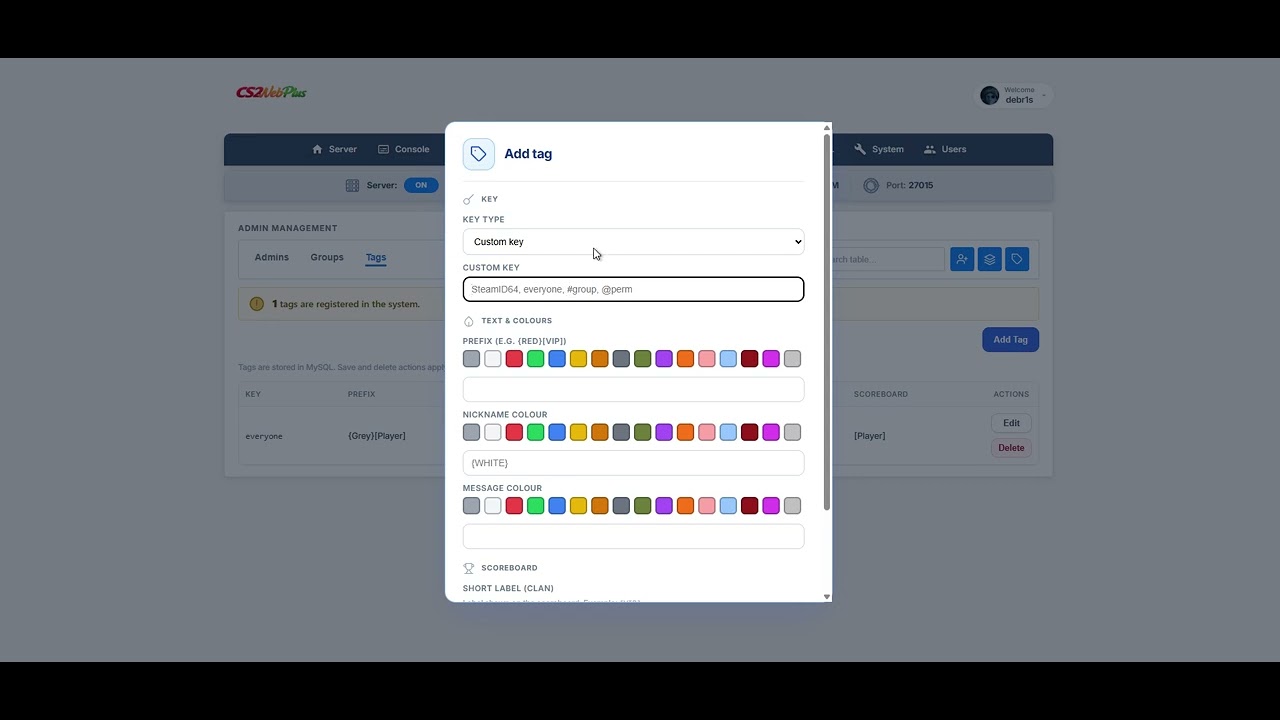
Watch a short overview of the panel on YouTube: https://www.youtube.com/watch?v=jO58rT1gyd0

Login page · Google PageSpeed Insights · mobile audit (Slow 4G)
- 100% mobile compatibility: dashboard, services hub, log hub, FTP, MySQL, user management, and all panel pages on phone and tablet
- PageSpeed 100% performance: mobile and desktop (optimized login page)
- Web setup wizard for a from-scratch CS2 server and SteamCMD-based updates
- One-click download and install of current Metamod and CounterStrikeSharp builds
- One-click start, stop, and restart; live resource metrics
- Live player list; kick, ban, and quick map changes
- RCON console and server log streaming
- Edit
server.cfgand game-mode CFG files; vote map lists - Admin accounts, permission tiers, and player tag management
- Upload plugin ZIPs in one step, enable/disable plugins, and monitor what is installed on the server
- Browse, edit, and upload files over FTP
- Ban list and MySQL management tools
- Sub-users with section-based access to the panel
- System page: one-click clean CS2 reinstall; Steam update flows with Metamod and CounterStrikeSharp setup
- Panel settings: custom logo, CS2 server IP / host shown on the dashboard, UI language
Setup & install
- Multi-server (node) provisioning
- Upload to your host and run
/install(extra dependencies removed; PHP 8.4 is the only hard requirement) - Post-install wizard to add a new VDS
- Install job progress tracking, run in background, and cancel
UI & branding
- Modern UI theme refresh
- Login screen rework and Register flow
- 100% mobile compatibility: dashboard, services hub, log hub, FTP, MySQL, user management, and all panel pages
- PageSpeed 100% performance: mobile and desktop (login page optimized)
- One-click panel branding: custom logo, favicon, and site name across the whole panel
- User profile customization and avatar
Security & auth
- Stronger security layer across the panel
- Registration, password reset, login captcha, and terms of service
- SMTP / email notification options
- Google SEO settings (optional, can be turned off)
- Live permission-change notice and audit log
Services hub
- Display IP/host override per server
- Scheduled RCON tasks (daily / interval): restart server, run commands at set times, etc.
- Sub-user roles: User, Admin, Moderator
- Per-server sub-accounts with server-scoped permissions
- All users: role assignment, per-server permissions, ban and registration block
- Timed admin add, removed automatically when the period ends
Server stats & monitoring
- Advanced server statistics
- Live network, CPU, RAM, disk charts and uptime tables (per server)
- Console stats, log tail, and noise filter
General: AdminPlus integration
- Discord webhook / notification settings from the panel
- CS2 weapon ban, prefix, AFK, and server chat ads
- GSLT token, game mode, server password, and advanced CFG fields
Ban & Log Hub
- Chat and combat logs (full-screen Log Hub)
- Live player chat log and connection log sync
- Punish from logs and punishment comments
- Live stats and presence tracking
MySQL wizard (Beta)
- Per-user database creation (
panel_usernamepattern) - Instant database setup with credentials on screen
- Primary admin manages all databases; sub-users only their own
- View, edit, truncate, and delete database tables and content
- Panel settings and plugin data managed through MySQL
System & automation
- Advanced configurable manual / automatic backup system
- Backup create / restore
- Automatic Steam updates via system cron
- Crash watchdog for auto-restart on unexpected server stop
- Automatic backups (recommended every 6 hours)
- Background automation when no one is logged into the panel
Plugins & FTP
- One-click (.zip) plugin upload and install
- FTP drag & drop upload
- Zip extract on the server, favorite folders
- Create folders, ownership fix, safe delete tracking
Other
- Player avatars via Steam Web API
- Custom favicon
The UI is available in: Türkçe, English, العربية, Deutsch, Español, فارسی, Français, Latviešu, Polski, Português (Portugal), Português (Brasil), Русский, Shqip, 简体中文.
Rather than positioning this as a commercial product, I built it as an experimental, open way to fill a gap I saw in CS2 server administration. Feedback, ideas, and even small gestures of support genuinely help me keep the panel more stable and capable.
If you like, you can send a Steam trade offer (skins, cards, etc.); it is optional and entirely voluntary.
Steam trade link: Trade offer window
CS2WebPlus is experimental and will keep evolving. Every bug or rough edge you report is valuable for a smoother panel down the line. Please don't hesitate to file something.
To log an issue on GitHub:
- Open the Issues page.
- Click New issue.
- Add a short title and, if you can, steps to reproduce, expected vs actual behavior, and environment notes (browser / PHP / Ubuntu version). Attach a screenshot or error text when helpful.
- Submit.
Discord: debr1s
CS2WebPlus
A PHP web panel built for CS2 servers
Footnote: CS2WebPlus is in experimental / beta testing; early releases may ship with bugs or inconsistencies. Fixes and improvements will continue based on feedback via GitHub Issues and other channels you use to reach out.